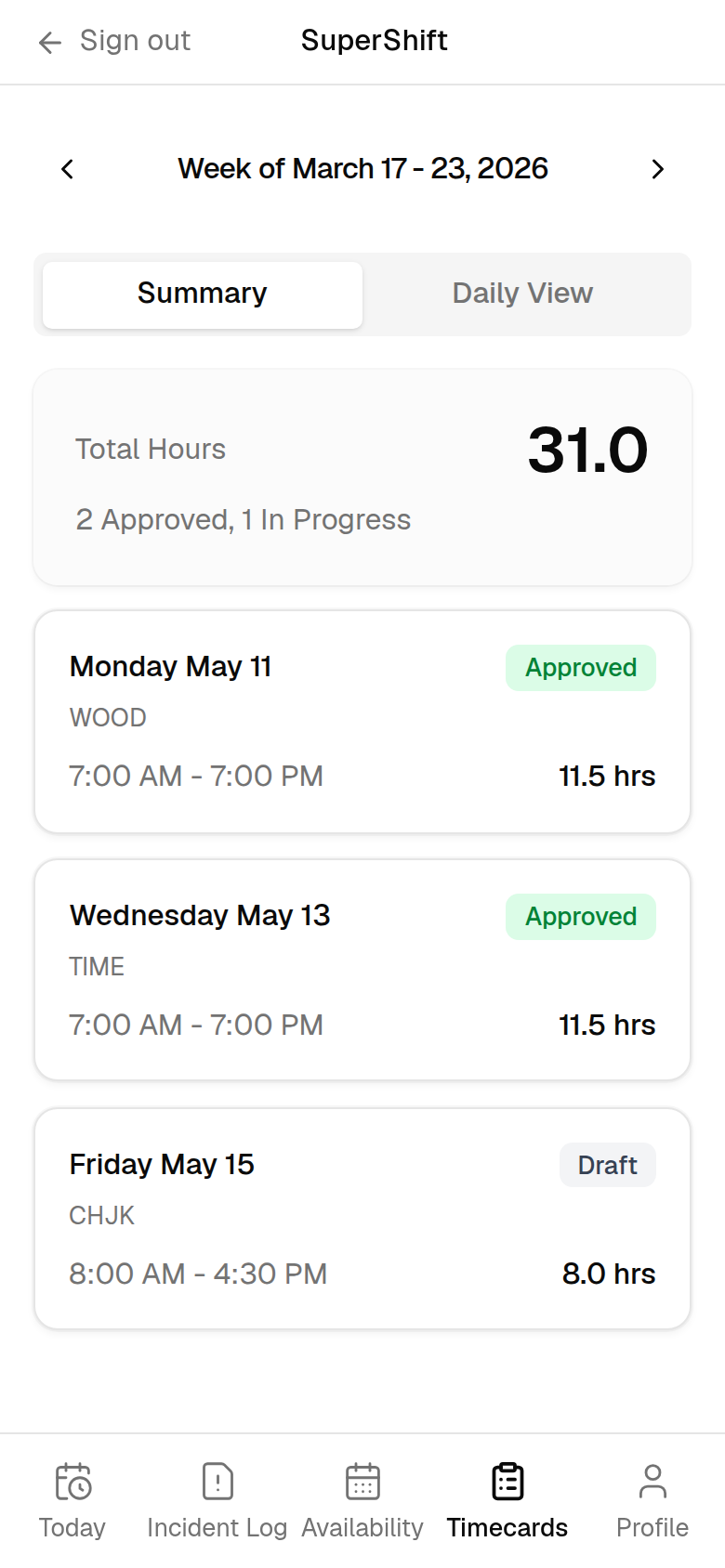
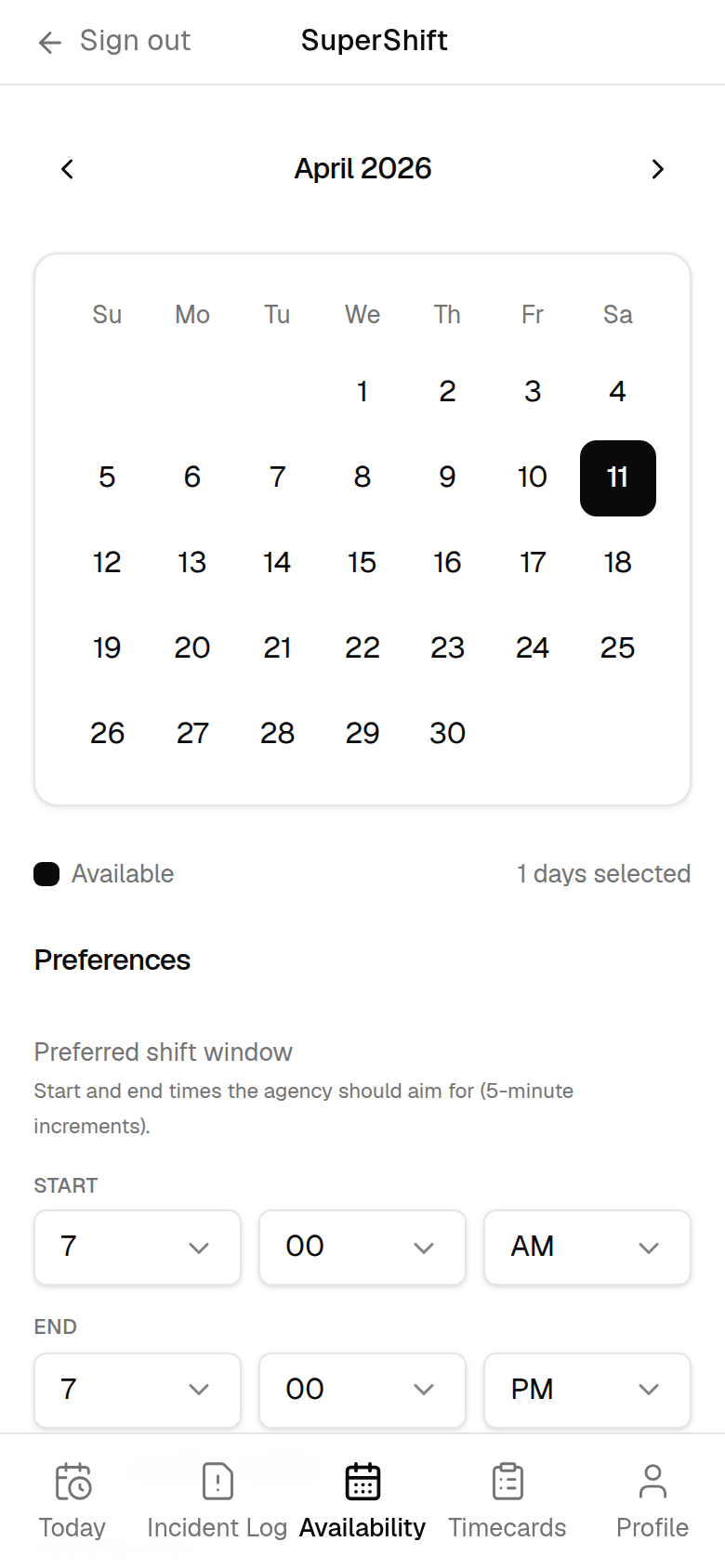
SuperShift gives medical staffing agencies an AI assistant their NPs can text, mobile timecards that match the paper form, and availability that never goes stale — so clinic shifts stay covered and payroll stays accurate.
This page exists specifically so that A2P 10DLC campaign reviewers can independently verify the business, messaging program, and complete Call-to-Action / consent mechanics for SuperShift operational SMS without any login or employment credentials.
SMS opt-in is optional and is not required to sign in or use SuperShift (schedule, timecards, availability). Agreeing to receive messages is never a condition of access.
Optional SMS
SMS opt-in is optional — not required to sign in or use schedule, timecards, or availability.
Standalone consent
Unchecked checkbox, disabled button until checked — never bundled into Terms or Privacy.
Public evidence
All links, sample messages, and mechanics are HTTPS-accessible with no login.
Business & Program Identity
Varanguard Consulting LLC (“Varanguard”), Los Angeles, California, info@varanguard.com. Varanguard operates SuperShift, an internal workforce application used exclusively by enrolled nurse practitioners / contractors of the medical-staffing agency using SuperShift. There are no public users and no public sign-up or registration path.
This messaging program is strictly operational only — never marketing or promotional. Messages are limited to shift check-in and break reminders, schedule updates, timecard/account alerts, availability requests, and other work-related replies for enrolled nurse practitioners. Primary opt-in is the in-app web form (not keyword text-in). After a verified recipient replies STOP, they may re-subscribe only by completing the in-app opt-in again (or, if supported, by texting START/UNSTOP from a previously verified number).
Exact 5-Step Opt-In Workflow
The following workflow, and the exact on-screen language, is what appears in the live SuperShift application and matches the text submitted in the Twilio A2P 10DLC registration.
Enter a mobile number and check the consent box (it is not pre-selected).
Tap Send verification code.
Enter the one-time code we text to confirm — this completes opt-in.
Critical Mechanical Proof Points
These safeguards are visible on the opt-in screen itself:
Standalone consent — never bundled into Terms or Privacy.
Checkbox is unchecked by default.
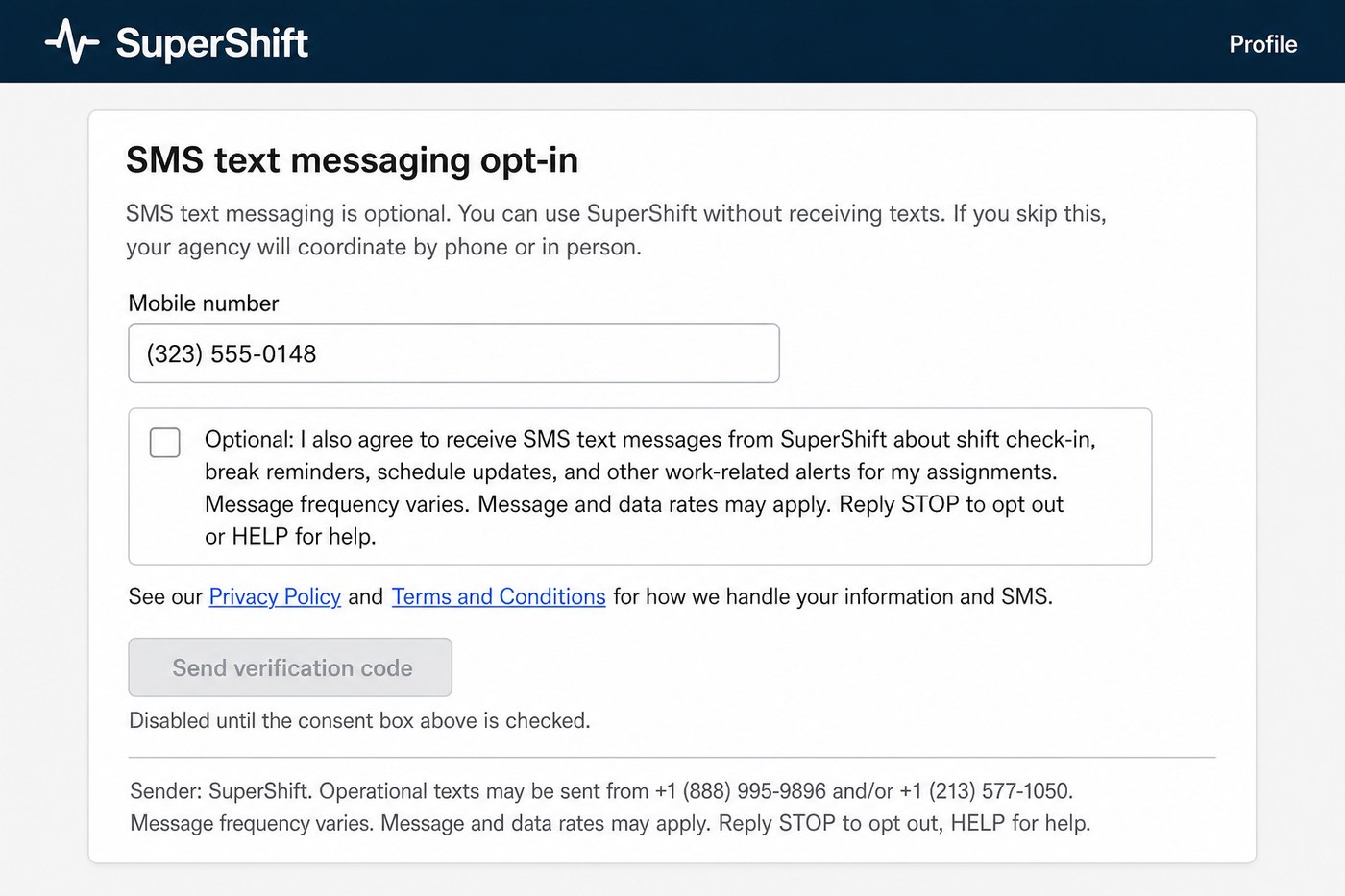
Send verification code button is disabled until the consent box is checked. Helper text: “Disabled until the consent box above is checked.”
Full required disclosures on the form: message type, “Message frequency varies”, “Message and data rates may apply”, “Reply STOP to opt out or HELP for help”.
Privacy Policy and Terms and Conditions links are visible on the opt-in screen itself.
Hosted Verification Screenshots
SMS opt-in is optional and is not required to sign in or use SuperShift (schedule, timecards, availability). The opt-in screenshot below shows this language on the live form.
These static assets are public, HTTPS, and open as raw image files with no login. Click any image for the full-resolution file (ready for Twilio “Opt-in policy proof” / optInImageUrls).
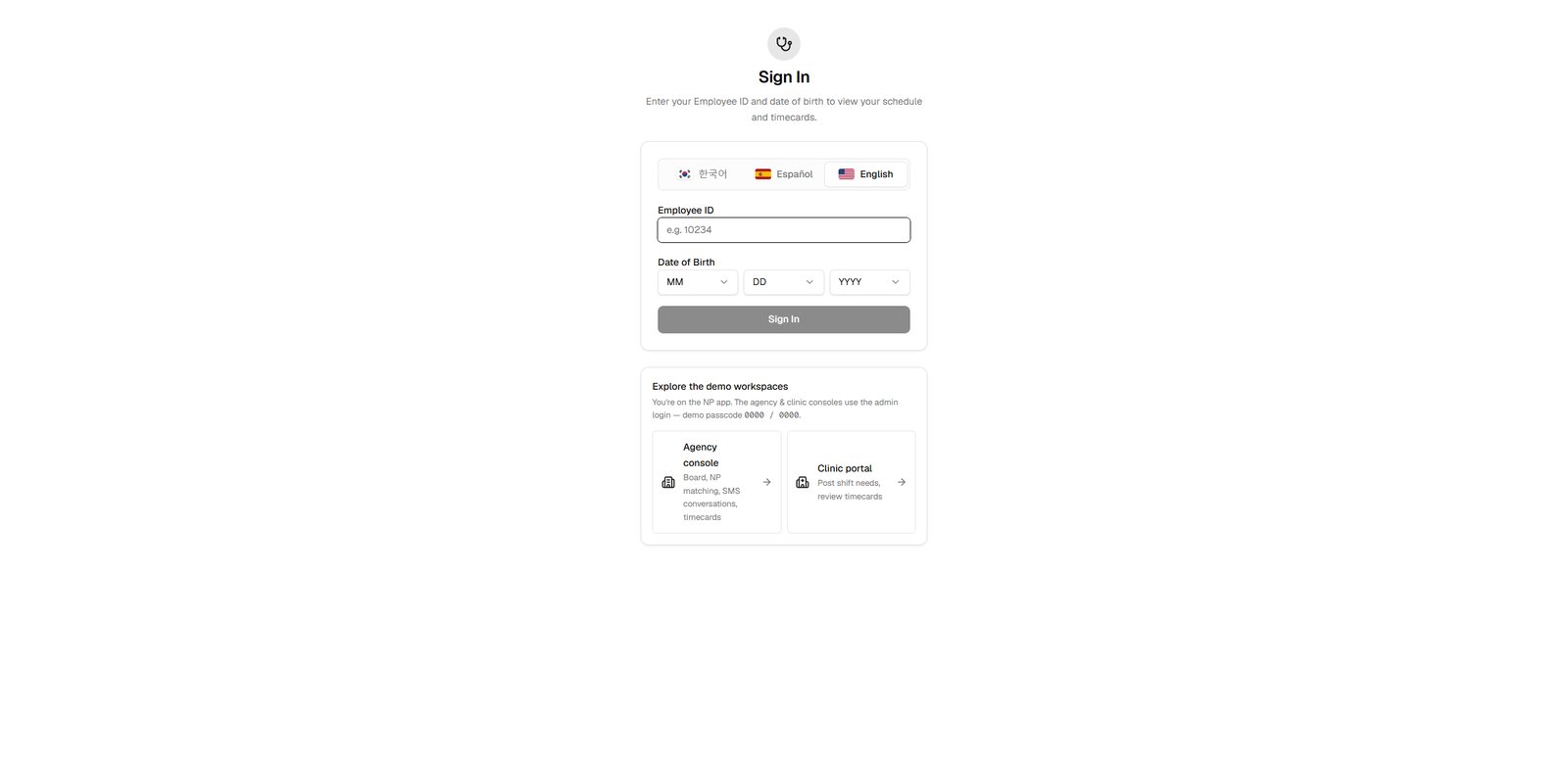
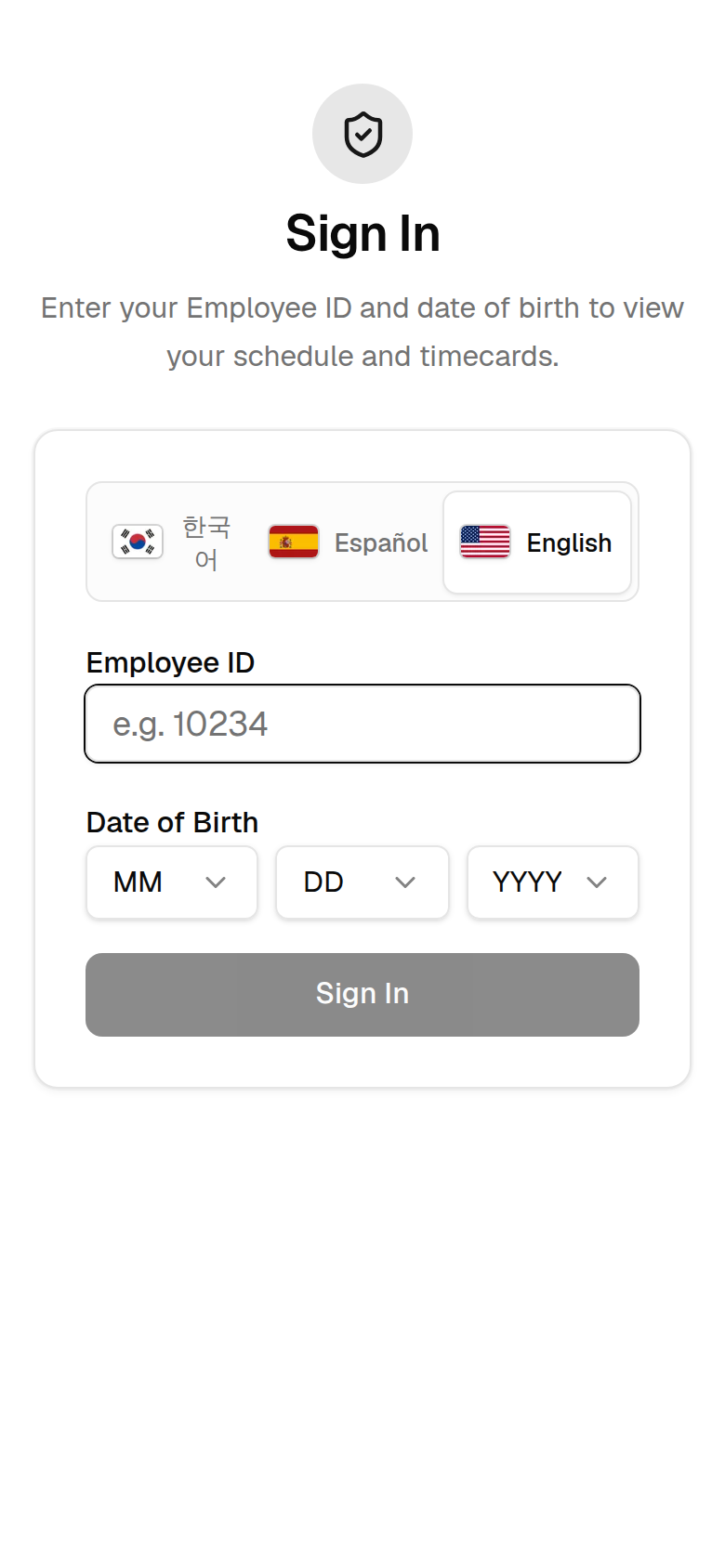
Sign-in screen (live app). Access requires employee ID + date of birth. There is no public sign-up or registration path.
Open raw image →Profile → SMS text messaging opt-in. Shows the optional intro, “Optional: I also agree…” consent checkbox unchecked by default, “Send verification code” disabled until checked, Privacy Policy and Terms links, and SuperShift sender disclosure (+1 (888) 995-9896 and/or +1 (213) 577-1050).
Open raw image →
Exact consent checkbox language shown to the user (standalone; not buried in Terms/Privacy): “Optional: I also agree to receive SMS text messages from SuperShift about shift check-in, break reminders, schedule updates, and other work-related alerts for my assignments. Message frequency varies. Message and data rates may apply. Reply STOP to opt out or HELP for help.”
Direct URLs for Twilio paste:
https://www.varanguard.com/assets/images/supershift-a2p/supershift-signin-live.jpg
https://www.varanguard.com/assets/images/supershift-a2p/supershift-sms-optin-optional.jpg
Verification / Opt-In Confirmation SMS
Exact text sent after the NP taps Send verification code:
SuperShift: your verification code is 123456 (expires in 10 min). Entering this code confirms your opt-in to shift-related SMS text messages. Message frequency varies. Message and data rates may apply. Reply HELP for help, STOP to opt out.
Opt-Out Workflow
Reply to any SuperShift message with any of these keywords (case-insensitive). We immediately stop all further messages and send a confirmation including the brand name “SuperShift” and contact information.
STOPOPTOUTCANCELENDQUITUNSUBSCRIBEREVOKESTOPALL
Help / Info Workflow
Replying HELP returns the SuperShift help message (exact app text):
SuperShift shift assistant. Text things like 'clock in' or 'on break'. Reply STOP to unsubscribe.
Questions may also be emailed to info@varanguard.com. Operational texts may be sent from +1 (888) 995-9896 and/or +1 (213) 577-1050.
Third-Party Data Policy
No mobile information, SMS opt-in, or consent data is shared with or sold to third parties, affiliates, or lead generators for marketing or promotional purposes.
Voluntary Nature of Consent
Opting in to SuperShift SMS is optional and is not required to create access, sign in, or use the rest of the SuperShift application. NPs who do not opt in, or who later reply STOP, retain full access to scheduling, timecards, availability, etc. The agency coordinates with them by phone or in person instead.
All verification assets, links, phone numbers, sample messages, and on-screen mechanics on this page are publicly accessible over HTTPS and match the Twilio A2P 10DLC campaign registration.
What it is
One system for the agency, the NP, and the clinic
Medical staffing runs on a hundred moving parts — open clinic shifts, last-minute call-offs, paper timecards, and availability scattered across texts and spreadsheets. SuperShift pulls all of it into a single platform that connects three views of the same operation — and pushes clean data downstream to Labor Edge.
Nurse practitioners sign in on their phone, see their schedule, track hours, and submit timecards.
Agency owners manage the roster, match NPs to shifts, approve timecards, and run the exchange.
Clinics post the coverage they need and approve the hours worked.
NPs sign in with an employee ID — no app store, no password to forget — and land on a clean, mobile-first view of their schedule, hours, and timecards.
Sign in
Employee ID + date of birth, in three languages
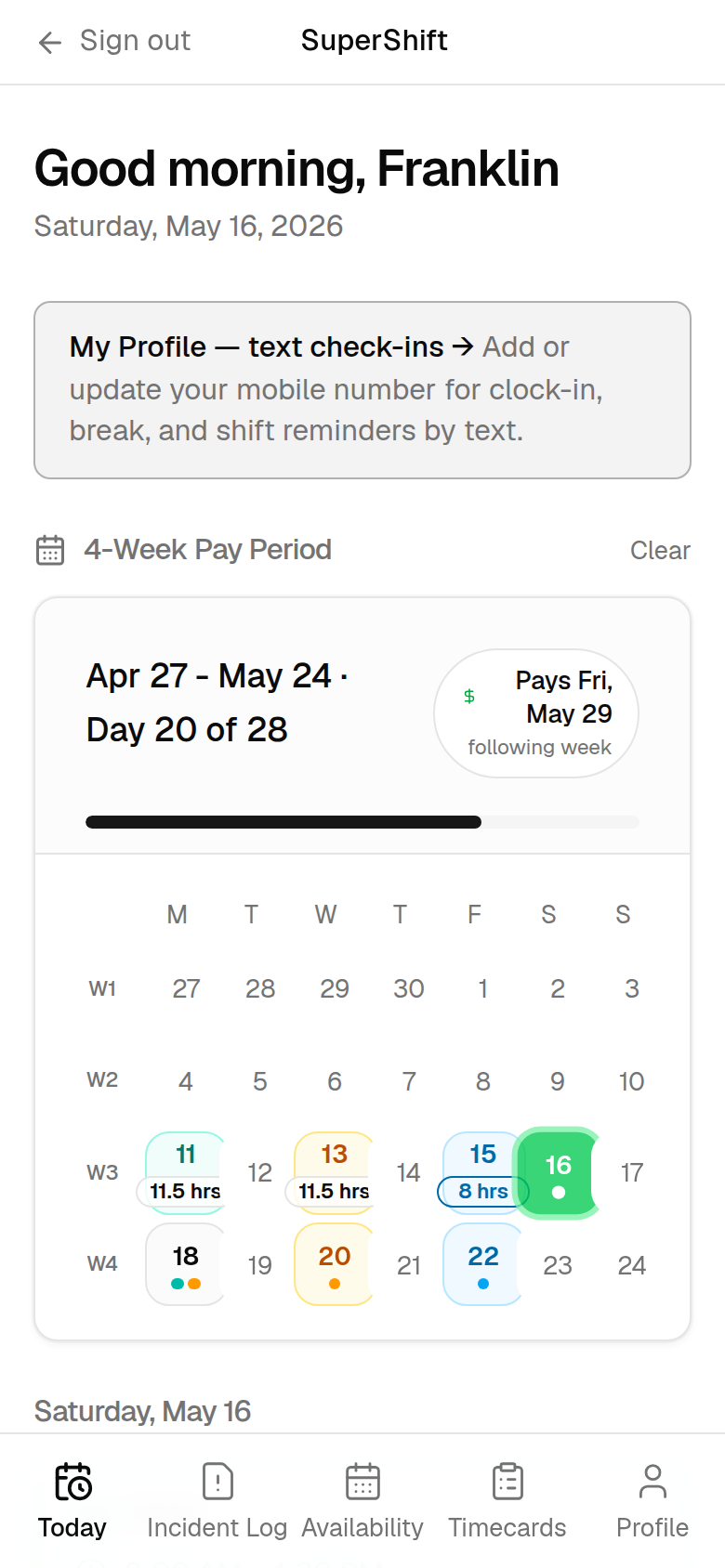
Today & pay period
A 4-week calendar with hours toward each payday
Timecards
Mirrors the paper form: draft → submitted → approved
Availability
Tap the days and shifts they can work
Flagship features
Everything a medical staffing agency runs on
Purpose-built for the way medical staffing actually works — from the clinic floor to the back office.
Flagship
AI assistant over SMS
NPs text in plain language to log hours, submit timecards, and update availability. The assistant understands their schedule, replies in English, Spanish, or Korean, and hands off to a human when needed.
Pay-period scheduling
A four-week pay-period calendar shows every NP their shifts, worked hours, time-off and over-time, and the days remaining until their next payday — all on one screen.
Digital timecards
Time in, lunch, and time out mirror the paper form your NPs already know. Cards move from draft to submitted to approved, then sync downstream — no more chasing illegible sheets.
Incident reporting
Capture what happened on a shift — a patient event, a workplace injury, a scheduling dispute — with witnesses and follow-up details, over SMS with the assistant or on the web form. Every report routes to the agency for review.
Availability & matching
NPs mark the days and shift windows they can work; the agency sees availability against open clinic shifts and assigns the right NP — by specialty, availability, and rate — manually or with the optimizer.
Network effect
Cross-agency exchange
Can't fill a shift? Claim an NP another agency has posted spare. Have surplus? List it. The home agency earns a wholesale rate, the filling agency bills its clinic — and the shift gets covered.
Smart shift optimizer
A solver matches surplus NPs to unfilled shifts across the network to maximize coverage and margin — with a quantum-ready path (Amazon Braket) for when the network scales.
Reputation & payments
Track which clinics fill, cancel, dispute, and — crucially — pay on time. Reputation and payment-reliability scores flag risk before you commit NPs to a facility.
Labor Edge sync
Approved timecards and assignments push straight to Labor Edge over its REST API — so the system of record stays current without anyone re-keying data.
SuperShift Assistant
Worked Woodland today, 7 to 7 7:06 PM
Logged 11.5 hrs at Woodland Clinic for today, Maria. Your timecard is ready — want me to submit it for approval? 7:06 PM
Yes please 7:07 PM
Submitted. I'll text you the moment the clinic approves it. 7:07 PM
Flagship feature
An assistant your NPs can just text
Not every NP wants to log into a dashboard at the end of a 12-hour shift — but everyone can send a text. SuperShift's assistant turns plain-language messages into clean, structured records.
Log hours, submit timecards, and set availability — captured from natural language
Guided incident reports that collect every required field
Replies in English, Spanish, or Korean — the NP's choice
The agency can step in mid-conversation, with verified opt-in for compliance
Built for medical staffing
Specialties, rates, and clinics — all accounted for
SuperShift tracks the details that matter when you place NPs: specialty, the ages they see, pay rate and clinic bill rate, and contract terms per clinic — so the right NP lands at the right clinic, and the numbers always add up.
NP specialties, age ranges, and pay rates on every profile
Per-clinic contracts with bill rates and margins
Monthly availability matched to open clinic shifts
Approved hours synced to Labor Edge automatically
SMS opt-in
How NPs opt in to text messages
Enrolled nurse practitioners / contractors opt in inside the SuperShift web app. There is no public sign-up and no keyword flow; consent is explicit, standalone, and verified before any proactive work-related text is sent.
For the complete TFV / A2P reviewer evidence package (including hosted screenshots), see the compliance verification section above. The interactive consent screen mockup below matches the live app language.
A verified five-step workflow
The consent path keeps messaging permission separate from every other agreement and makes the disabled state visible before the checkbox is selected.
Enter a mobile number and check the consent box (it is not pre-selected).
Tap Send verification code.
Enter the one-time code we text to confirm — this completes opt-in.
Standalone consent is never bundled into Terms or Privacy.
Unchecked by default with a disabled verification button.
One-time code verifies the number before operational texts start.
Sender disclosure names SuperShift.
Sender: SuperShift. Operational texts may be sent from +1 (888) 995-9896 and/or +1 (213) 577-1050. Reply STOP to opt out, HELP for help, or email info@varanguard.com. Texting these numbers is for reference only — NPs opt in through the app screen shown here, not by texting a keyword.
SuperShift
Profile
SMS text messaging opt-in
SMS text messaging is optional. You can use SuperShift without receiving texts. If you skip this, your agency will coordinate by phone or in person.
Sender: SuperShift. Operational texts may be sent from +1 (888) 995-9896 and/or +1 (213) 577-1050. Message frequency varies. Message and data rates may apply. Reply STOP to opt out, HELP for help.
Illustration of the actual consent screen NPs see in the SuperShift app.
Confirmation text after opt-in
After an NP checks the consent box and taps Send verification code, we text a one-time verification code to the number they entered. Entering that code in the app completes opt-in and confirms enrollment in SuperShift operational SMS.
The verification text includes message frequency, “Message and data rates may apply,” and instructions to reply HELP for help or STOP to opt out. Example:
SuperShift: your verification code is 123456 (expires in 10 min). Entering this code confirms your opt-in to shift-related SMS text messages. Message frequency varies. Message and data rates may apply. Reply HELP for help, STOP to opt out.
Internal workforce app only. SuperShift has no public users. NPs who do not opt in, or who later reply STOP, are coordinated with by phone or in person instead. No mobile information, SMS opt-in, or consent data is shared with or sold to third parties or affiliates for marketing. SuperShift is operated by Varanguard Consulting LLC.
How it works
Three connected surfaces, one source of truth
Everyone sees the same live data from their own point of view — no double entry, no stale spreadsheets.
01
The NP
Signs in on a phone, checks their pay-period schedule, tracks hours, submits timecards, and sets availability — or just texts the assistant.
02
The agency
Sees the full roster and every open shift, matches NPs to clinics, approves timecards, monitors AI conversations, runs the exchange, and pushes to Labor Edge.
03
The clinic
Posts the coverage it needs and approves the hours NPs actually worked — closing the loop on billing and payment.
Who it's for
Built for the people who keep clinics covered
Staffing agency owners
The primary buyer. Place NPs faster, keep timecards accurate, cut the back-office paperwork, and fill more shifts through the exchange.
Nurse practitioners
A mobile-first experience that works the way they do — sign in with an employee ID, text to log hours, and submit timecards in seconds, in their own language.
Clinics
Facilities that need reliable coverage — post shift needs, approve hours, and build a track record that reflects how they actually operate.
One platform, two markets. The same scheduling, timecard, exchange, and matching engine behind SuperShift also powers PremierGuard, our platform for security-guard staffing agencies. Same core, tuned for your industry.
Under the hood
Modern, reliable, and built to integrate
Engineered by Varanguard on a proven, cloud-native stack — and ready to connect to the tools you already run on.
Labor Edge API Twilio SMS Claude AI assistant Amazon Braket (quantum-ready) PostgreSQL Next.js on Vercel TCPA-compliant opt-in
See SuperShift in action
SuperShift is a Varanguard product. Tell us about your NP roster and the clinics you serve, and we'll walk you through a live demo — and how it can fit your agency.